
Description
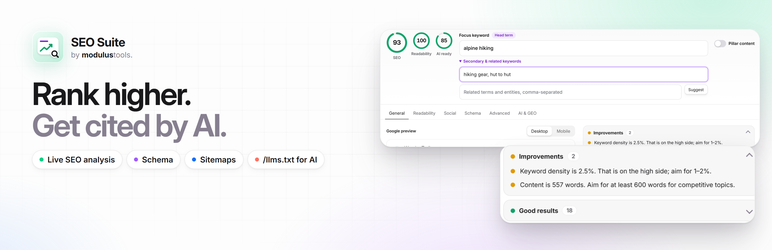
ModulusTools SEO Suite is a complete WordPress SEO plugin for the age of AI search. It helps you rank in Google and get cited by ChatGPT, Claude, Perplexity and Google AI Overviews — with live content analysis while you write, structured data, XML sitemaps, redirects, and an /llms.txt file that tells AI assistants what your site is about.
Every SEO feature in the plugin is free. There are no locked tabs, no “upgrade to see this check” boxes, and no ads inside your editor. The optional ModulusTools AI writing assistant includes free monthly uses.
Why site owners switch to SEO Suite
- Optimize while you write. A focus keyword, a Google preview and 20+ live checks right below the editor — plus a score panel in the block editor sidebar.
- Ready for AI search (GEO).
/llms.txt, AI crawler controls and an “AI readiness” score that checks whether your content can be quoted in AI Overviews. - Fast and lightweight. SEO data lives in its own indexed database tables, and every feature is a module you can switch off. Disabled modules are never loaded.
- Set up in two minutes. A friendly setup wizard configures your brand, social profiles, archive rules and AI crawler policy.
- Switch in one click. Import your titles, descriptions, focus keywords, canonicals and robots settings from Yoast SEO, Rank Math, All in One SEO or SEOPress.
ModulusTools AI writing assistant (optional)
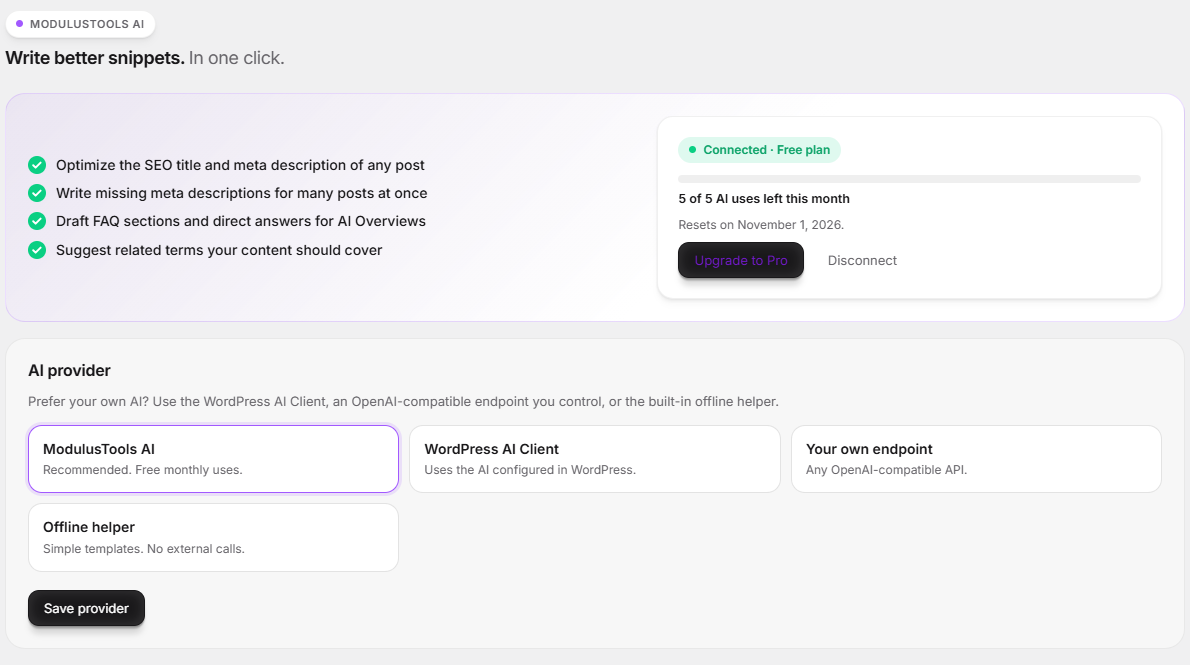
Connect in one click — no account or credit card — and get 20 free AI uses every month:
- Optimize title & description with AI — one click writes a keyword-rich SEO title and meta description that fit Google’s limits, plus a stronger opening sentence.
- Write missing meta descriptions in bulk from the Bulk Editor.
- Draft FAQ sections and direct answers for Google AI Overviews and AI assistants.
- Suggest related terms your content should cover.
Need more? SEO Suite Pro raises the allowance to 500 AI uses per month for one site ($2.99/month or $19/year, 14-day money-back guarantee). See pricing.
Prefer your own AI? Use the WordPress AI Client, any OpenAI-compatible endpoint you control, or the built-in offline helper instead.
Schema markup: as many types as a page needs
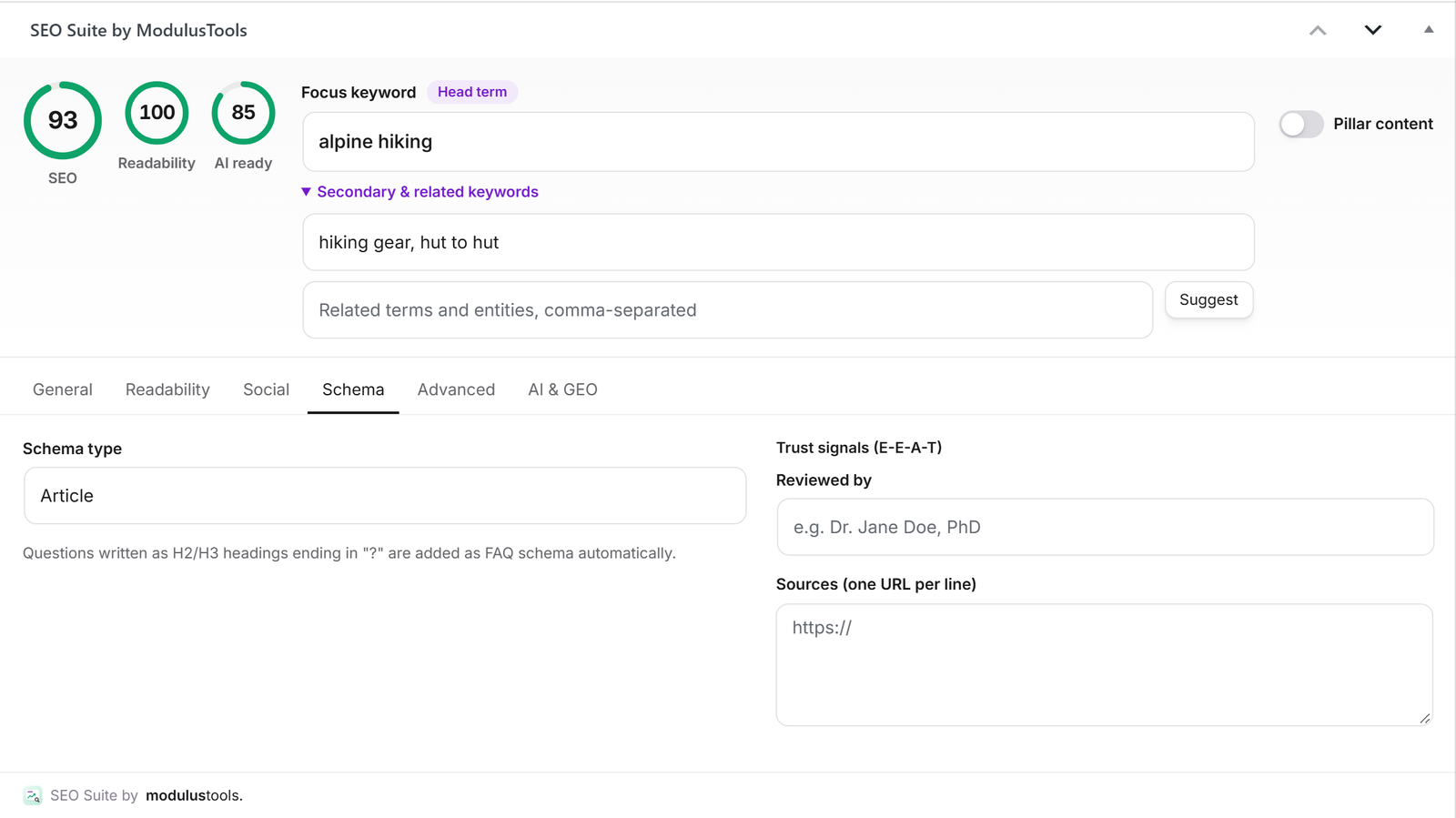
Every post gets a main schema type (Article, Product, FAQ, How-to and more) plus any number of extra schemas on the same page — for example a Product with an FAQ and a Video. Add them three ways:
- Templates for FAQ, How-to, Product, Video, Event, Local business, Software app, Recipe and Course — fill in a form, no code.
- Paste JSON-LD from any schema generator; SEO Suite checks it and explains mistakes.
- Import from a URL — read the schema of any public page and adapt it to yours (its addresses are replaced with your page’s).
The finished JSON-LD is cached per page and refreshed automatically when you update the post or change your settings.
Google Search Console inside WordPress (free)
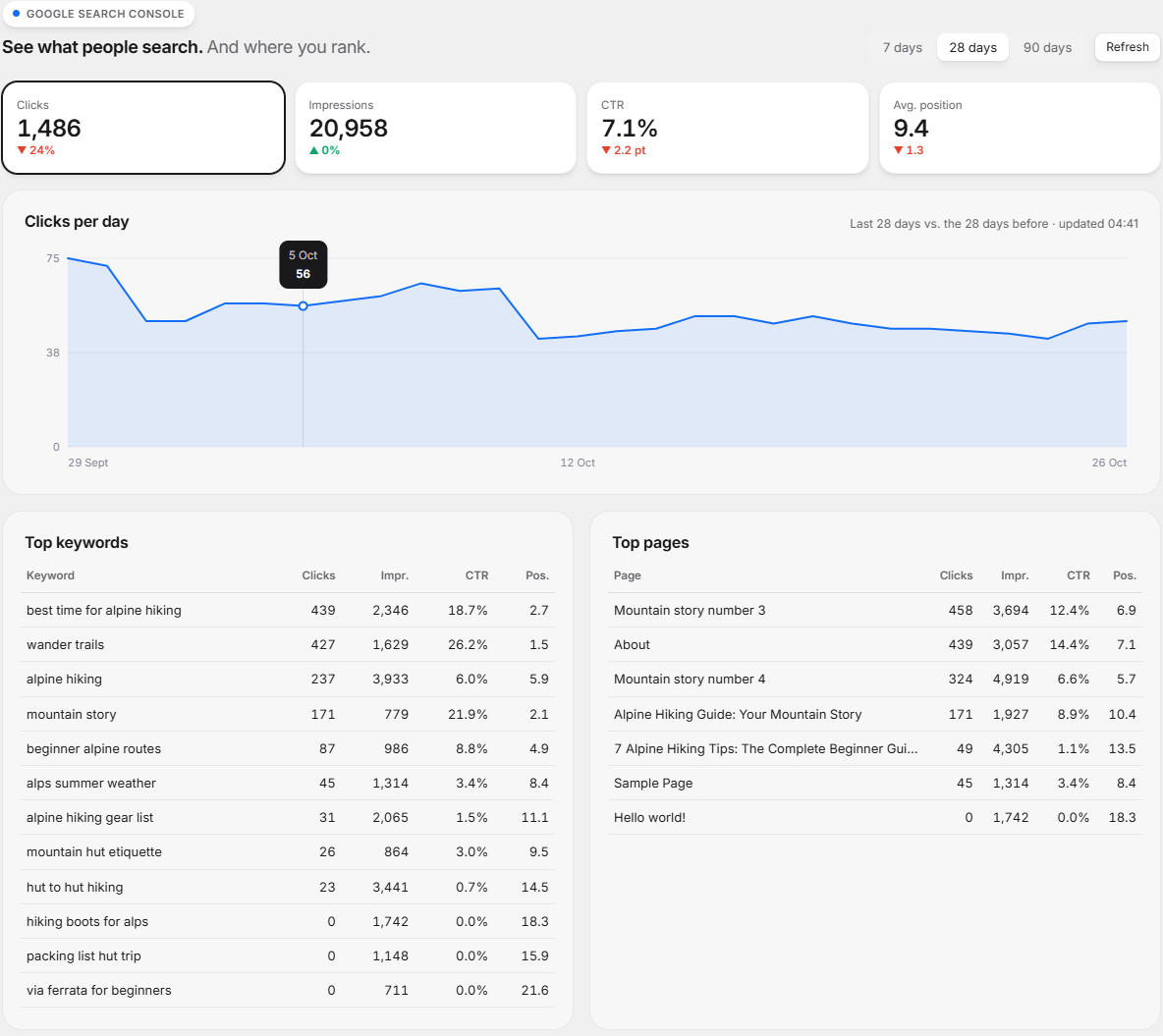
Connect Search Console with your Google account (read-only) and see, without leaving WordPress:
- Clicks, impressions, CTR and average position for the last 7, 28 or 90 days, compared with the period before, with a daily chart.
- Top keywords and top pages, with one-click links to edit each page.
- “Almost on page 1” keywords — searches where you already rank 4–20, the fastest wins.
- A Performance tab on every post with the searches that show it in Google.
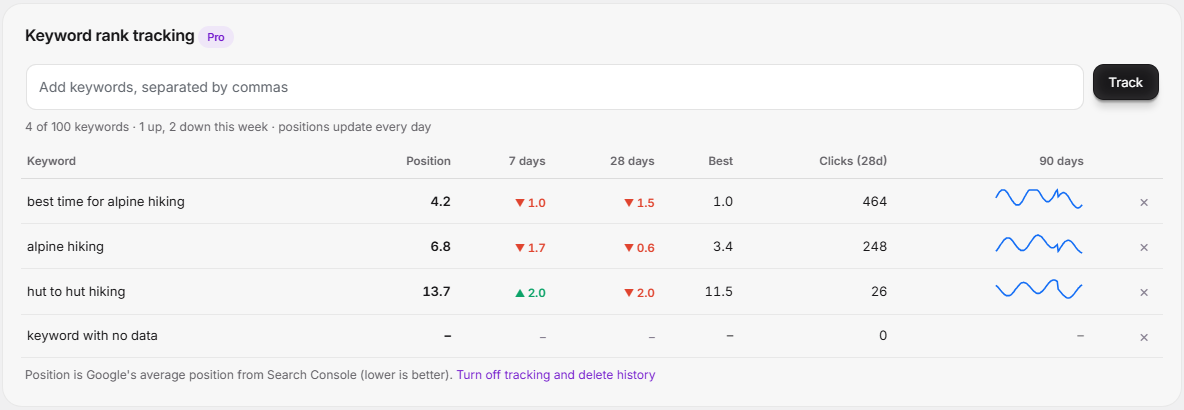
Keyword rank tracking (Pro): choose up to 100 keywords and ModulusTools records their Google position every day, with 90-day history, best position and 7- and 28-day changes.
Real-time SEO analysis
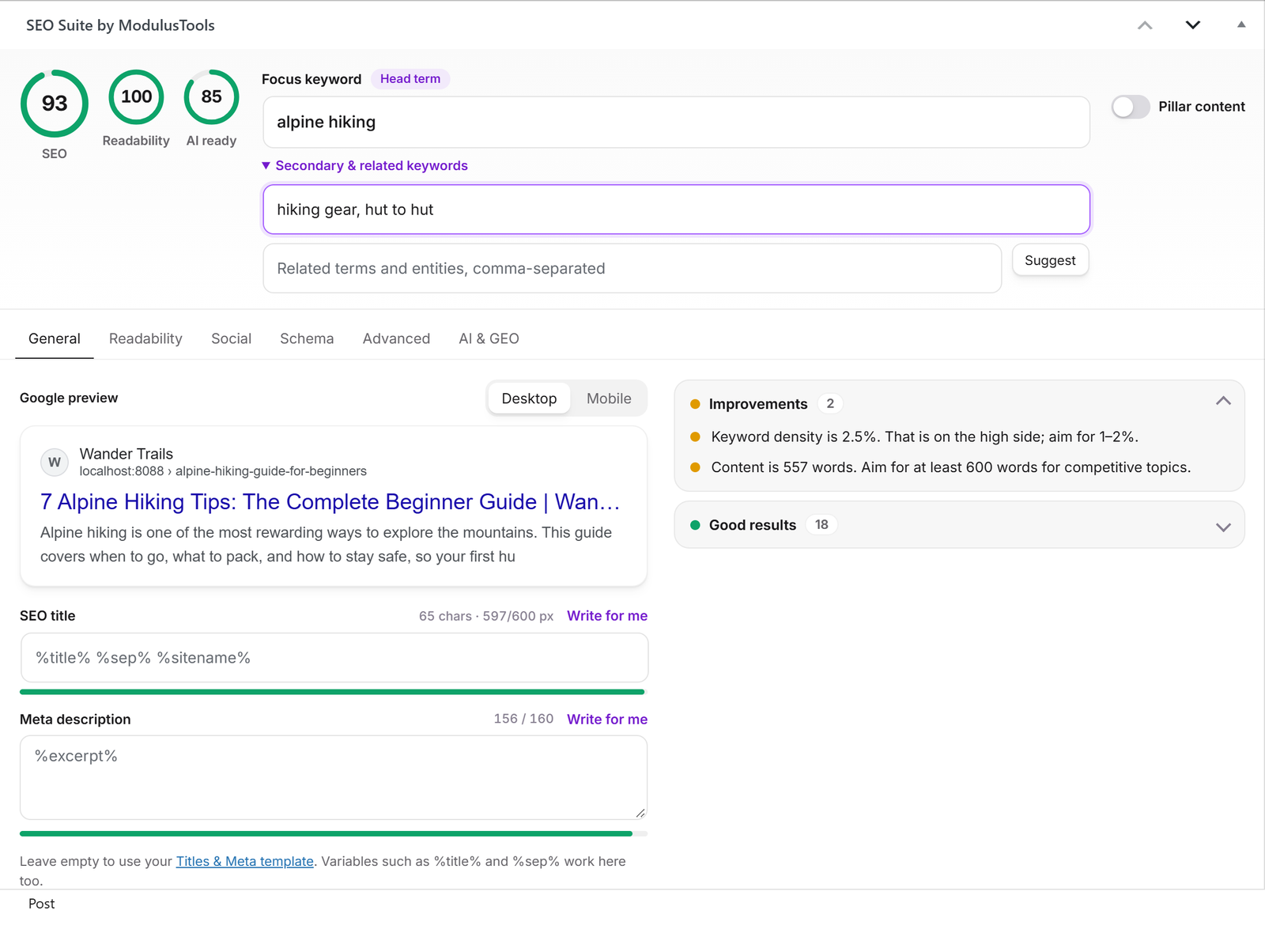
Type a focus keyword and SEO Suite scores your content as you write — no page reloads, no saving first.
- SEO score from 0 to 100 with clear, friendly suggestions grouped into Problems, Improvements and Good results.
- Google snippet preview for desktop and mobile, with a pixel-accurate title length meter — the same way Google truncates titles.
- Keyword checks: keyword in the SEO title, meta description, URL, introduction, subheadings and image alt text; keyword density; keyword position in the title.
- Content checks: content length, internal and outbound links, images, URL length, numbers and power words in the title.
- Keyword cannibalization warning when another page already targets the same focus keyword.
- Secondary and related keywords with coverage tracking.
- Pillar (cornerstone) content flag that prioritizes your best pages for internal links and
/llms.txt.
Readability analysis
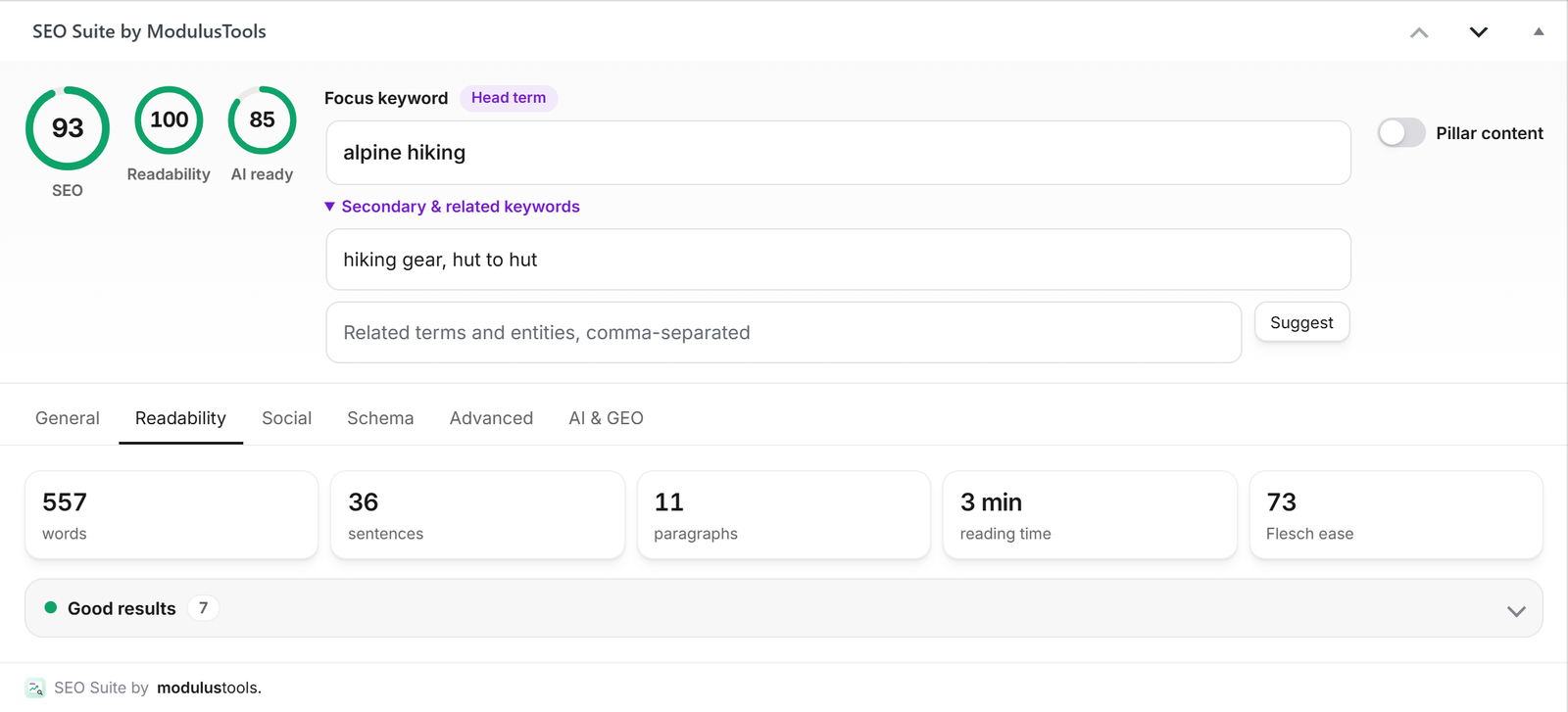
- Flesch reading ease
- Sentence length and paragraph length
- Subheading distribution
- Passive voice
- Transition words
- Repeated sentence openings
- Word count, sentence count and reading time
Titles & meta descriptions
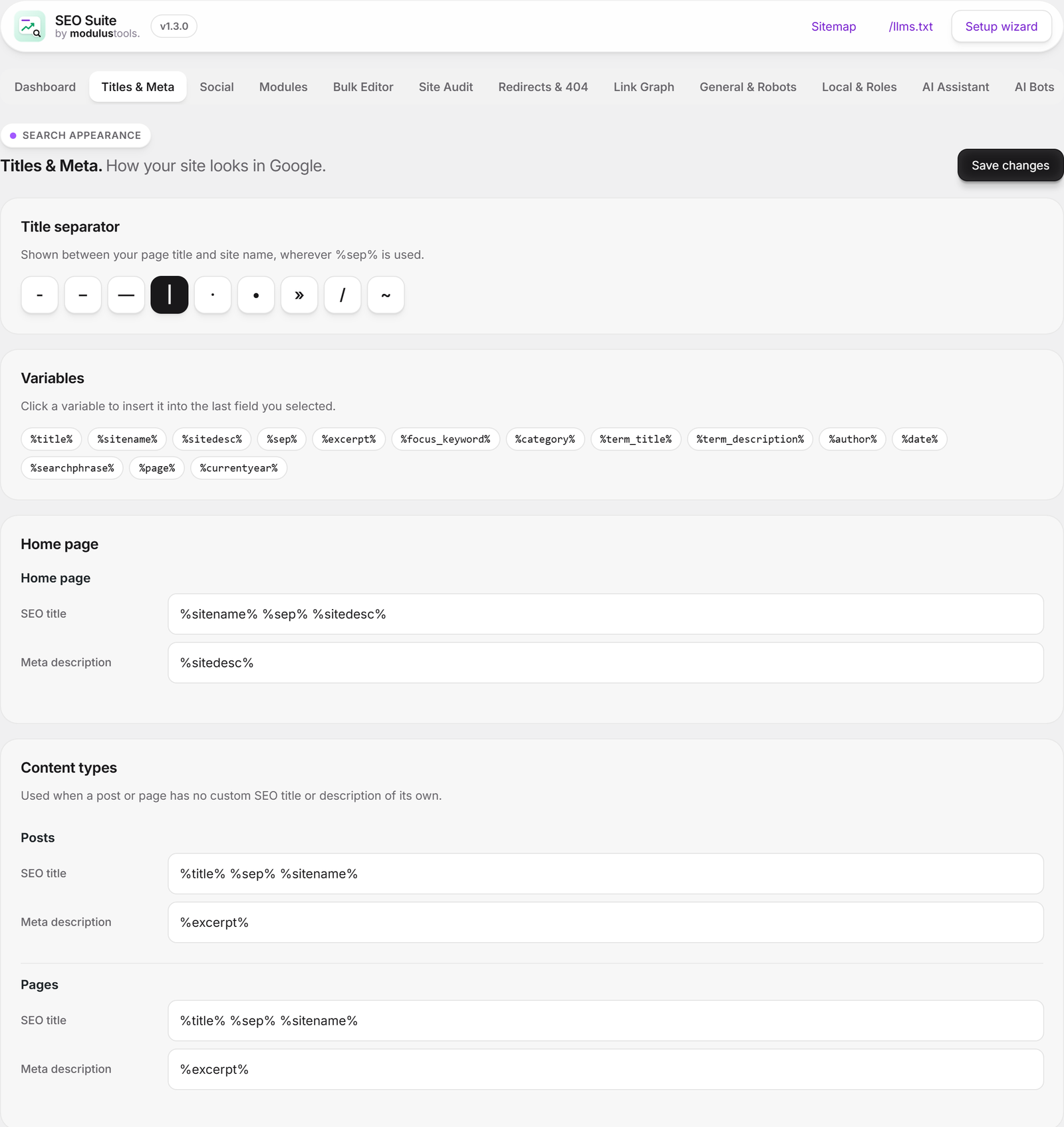
- Templates for every content type — posts, pages, products and any custom post type — plus the home page, categories, tags, custom taxonomies, author, date and search pages, and the 404 page.
- Variables such as
%title%,%sep%,%sitename%,%excerpt%,%term_title%,%category%,%page%and%currentyear%, insertable with one click. - Custom SEO title, description, canonical and noindex for every post, page, category and tag.
- Choose which archives appear in Google: hide search results, date archives, author archives, tag or category archives, and page 2, 3… of archives.
- Advanced robots meta: noindex, nofollow, noarchive, nosnippet and noimageindex per page, with full-length snippets and large image previews enabled by default.
Schema markup (structured data)
A single, connected JSON-LD @graph for rich results in Google:
- Organization or Local Business, WebSite with sitelinks search box, BreadcrumbList and WebPage
- Article, BlogPosting, NewsArticle, Product, FAQPage, HowTo, Course, Recipe and SoftwareApplication
- Automatic FAQ schema from question headings in your content
- Product schema with brand, GTIN, MPN and WooCommerce price and stock
- E-E-A-T trust signals: reviewed-by, citations, and author credentials, education, expertise and profiles
- Social profiles linked to your Organization (
sameAs)
Social sharing
- Open Graph and X (Twitter) cards on every page
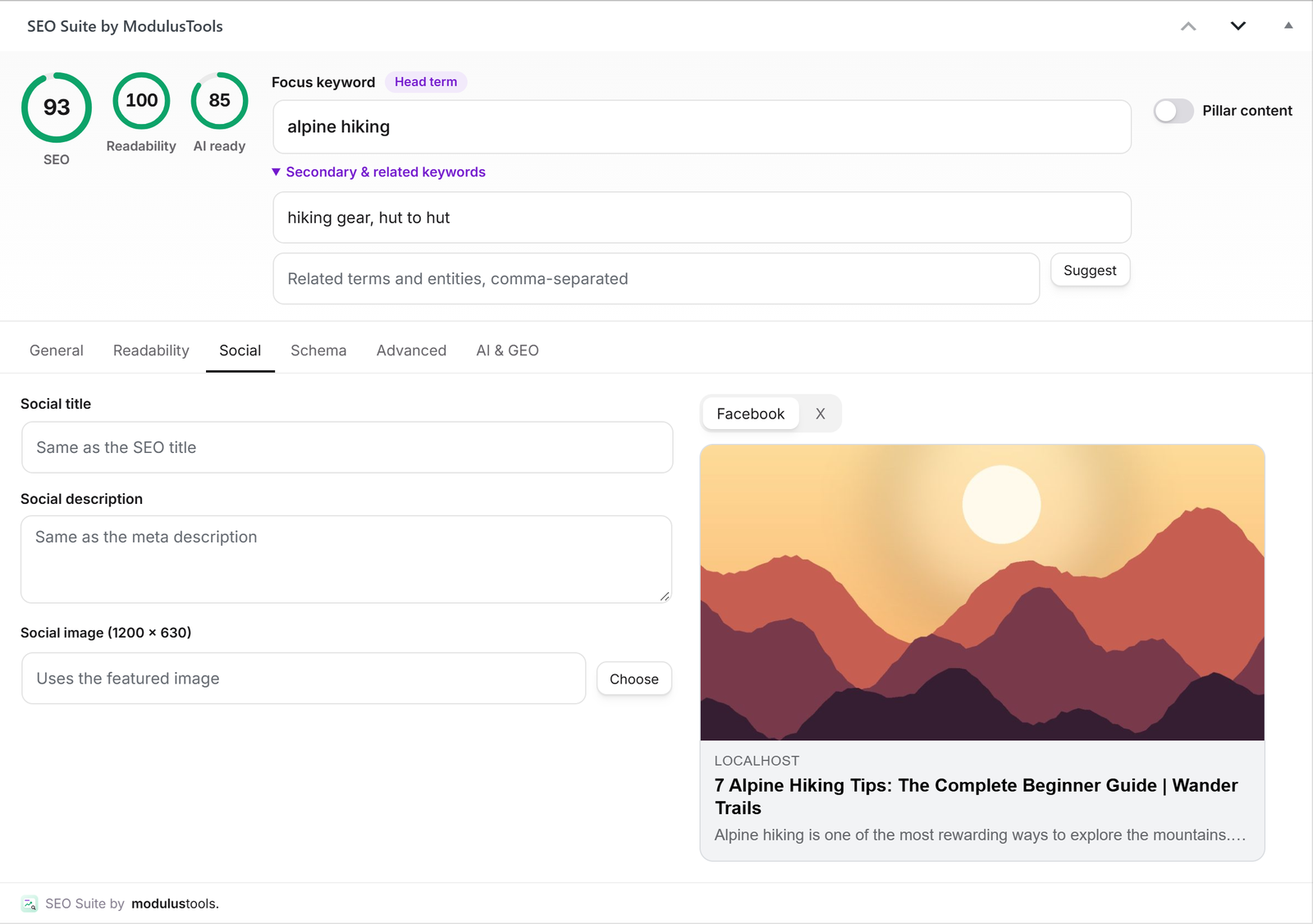
- Facebook and X previews in the editor
- Custom social title, description and image per post, with a media-library picker
- A default share image for pages without a featured image, and your X username
XML sitemaps & indexing
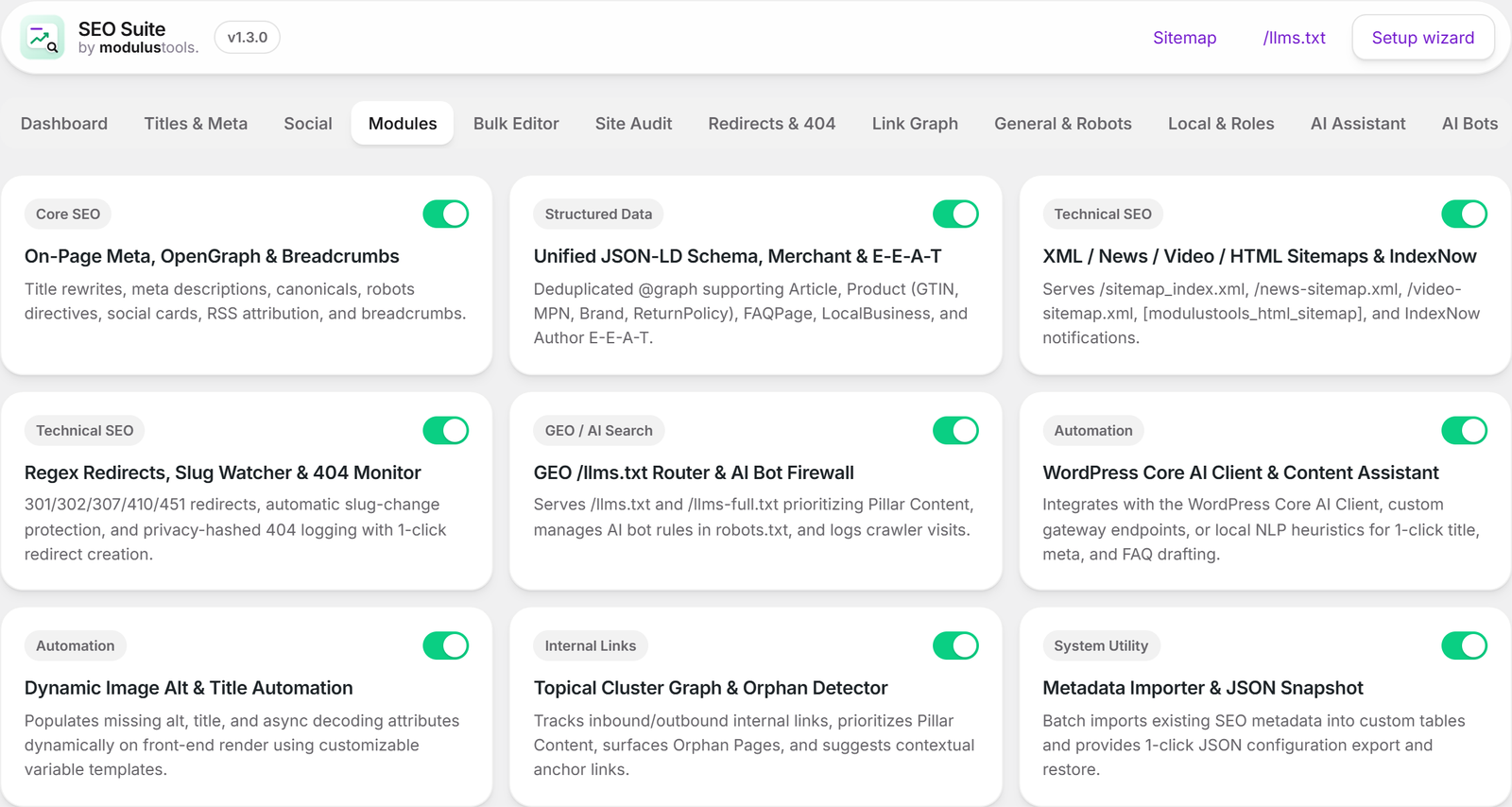
- XML sitemap index with post, page, category and author sitemaps
- Google News sitemap and video sitemap
- HTML sitemap shortcode
[modulustools_html_sitemap] - IndexNow to notify Bing, Yandex and other search engines the moment you publish (optional)
- Noindexed content is removed from sitemaps automatically
Redirects & 404 monitor
- 301, 302, 307, 410 and 451 redirects, exact paths or regular expressions
- Automatic 301 redirects when you change a published post’s URL
- 404 monitor with one-click “convert to 301 redirect”
- Hit counters for every redirect
AI search optimization (GEO)
- /llms.txt and /llms-full.txt — a clean, Markdown directory of your best content for AI assistants, with pillar pages first
- AI crawler policy: allow or block GPTBot, ClaudeBot, Google-Extended, PerplexityBot, Applebot-Extended, CCBot and more in robots.txt — or block only AI training while staying visible in AI search
- AI crawler visit log so you can see which bots read your site
- AI readiness score that checks for a question heading followed by a 40–60 word direct answer — the format AI Overviews love to quote
- Optional AI writing helpers for titles, meta descriptions, FAQs and direct answers using ModulusTools AI, the WordPress AI Client, your own endpoint, or a built-in local engine with zero external calls
Internal linking
- Counts internal, inbound and external links for every post
- Finds orphan pages with no internal links pointing to them
- Suggests relevant pages to link to from the post you are editing
Site audit & dashboard
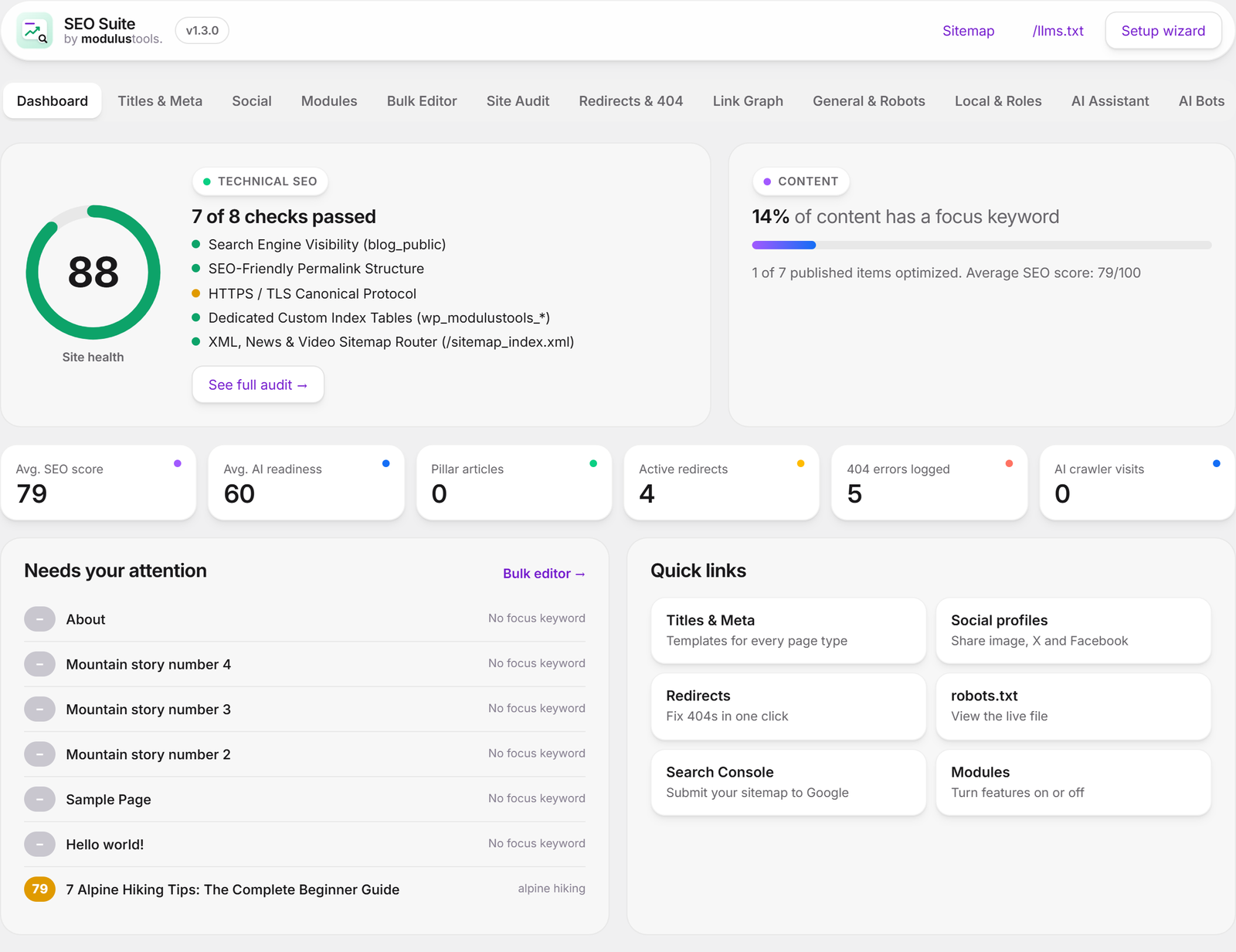
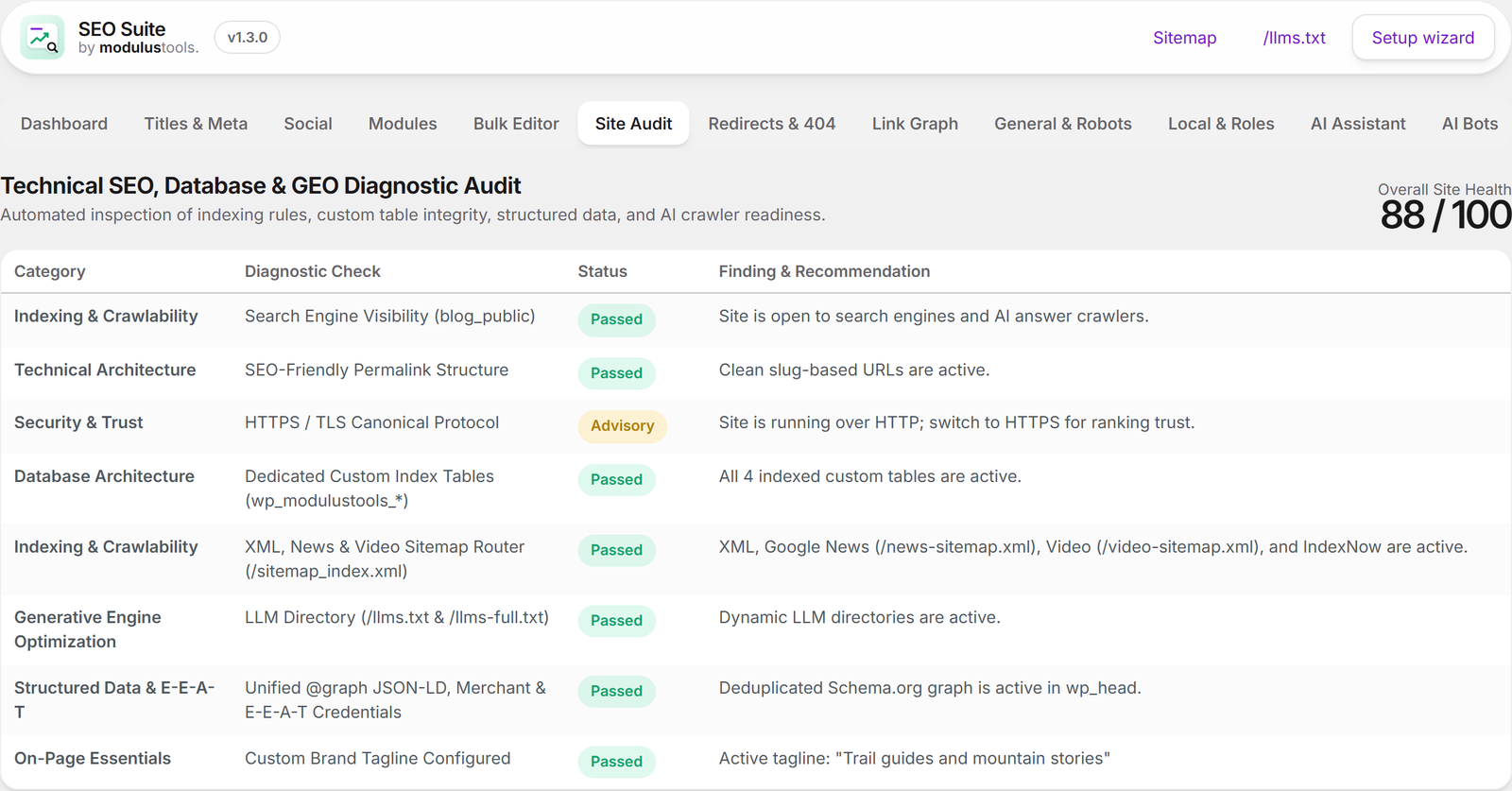
- Site health score with technical checks: search engine visibility, permalinks, HTTPS, sitemaps, schema and more
- Dashboard that shows optimization progress and the pages that need attention first
- Bulk editor to update SEO titles, descriptions, focus keywords and indexing for many posts at once
- Scores in your posts list and an SEO menu in the admin bar with Google Rich Results test, PageSpeed Insights and “is it in Google?” shortcuts
More tools
- Local SEO: business type, address, phone, opening hours and map coordinates, plus the
[modulustools_local_info]shortcode - Breadcrumbs via
[modulustools_breadcrumbs]or themodulustools_the_breadcrumbs()template tag - Automatic image alt and title attributes from a template
- RSS feed attribution to protect your content from scrapers
- Role manager: choose which roles can use the SEO panel and manage redirects
- Settings export and import (JSON)
- Head cleanup: remove generator, RSD, WLW and shortlink tags
Built by ModulusTools
SEO Suite is made by ModulusTools, the team behind popular free Chrome extensions such as Imagus, AutoplayStopper, Linkclump and DownAlbum.
Read the setup guide or get help on the support forum.
External Services Disclosure
This plugin connects to external services only when explicitly enabled by the site administrator:
- ModulusTools AI (
https://modulustools.com/api/ai/v1): Optional. Nothing is sent until an administrator clicks Connect free AI under SEO Suite > AI Assistant. Connecting sends the site address and plugin version and stores a site token. Afterwards, each time a user clicks an AI button, the plugin sends the task type, post title, focus keyword, site language and up to 6,000 characters of the post’s plain text. ModulusTools forwards this text to its AI provider, DeepSeek, to generate the suggestion and does not store the content. A monthly usage counter is kept per site. Privacy policy and service terms · DeepSeek - IndexNow API (
api.indexnow.org): When the IndexNow option is enabled under General & Robots, the plugin sends the URL of newly published or updated posts along with your site’s generated verification key tohttps://api.indexnow.org/indexnowto notify participating search engines. IndexNow Terms - Google Search Console (
https://modulustools.com/api/gsc/v1and Google APIs): Optional. Nothing is sent until an administrator clicks Connect Search Console under SEO Suite > Search Console. The administrator then signs in on Google’s own page and grants read-only Search Console access. Google sign-in runs through modulustools.com, which holds the OAuth client secret: it receives the site address and the sign-in result, returns an encrypted token to this site and does not store it. This site stores the token encrypted and requests reports directly from the Google Search Console API (https://www.googleapis.com/webmasters/v3); refreshing the hourly access token goes through modulustools.com. Keyword rank tracking (Pro), when turned on, stores the token, the chosen property and the tracked keywords with their daily positions on modulustools.com so positions can be recorded every day; turning tracking off or disconnecting deletes them. Disconnecting also revokes access at Google (https://oauth2.googleapis.com/revoke). Privacy policy · Google Privacy Policy · Google API Services User Data Policy - Schema import (
the address you enter): Only when you click Find schema in the Schema tab, the plugin downloads the public web page whose address you typed, to read its JSON-LD. Nothing from your site is sent to that page. - Welcome email (
https://modulustools.com/api/plugin/v1): Optional. Nothing is sent unless an administrator ticks Email me the getting-started guide in the setup wizard or clicks Send it on the dashboard. The plugin then sends the email address they confirmed, the site address, the plugin version and the site language. Modulus Tools sends one welcome email and occasional SEO Suite tips through its email provider Resend; every email has a one-click unsubscribe link. Privacy policy · Resend - Custom Webhook / AI Gateway (Optional): If you configure a custom webhook URL or use the WordPress Core AI Client, post title and excerpt snippets are sent only to the endpoint you configure when you click a draft generation button in the editor.
The admin bar shortcuts (Google Rich Results test, PageSpeed Insights, Google search) are plain links: nothing is sent until you click them.
Screenshots




Installation
- Go to Plugins > Add New Plugin, search for ModulusTools SEO Suite, then click Install Now and Activate. (Or upload
modulustools-seo-suite.zipvia Upload Plugin.) - The setup wizard opens automatically. Answer three quick questions about your site, social profiles and search settings.
- Submit
/sitemap_index.xmlto Google Search Console and Bing Webmaster Tools. - Open any post or page and set a focus keyword in the SEO Suite panel below the editor. Follow the suggestions until the score turns green.
- Moving from another SEO plugin? Use SEO Suite > Import & Backup to import your existing SEO data.
FAQ
-
Is SEO Suite really free?
-
Yes. Every SEO feature in the plugin is free, with no feature limits and no ads inside your editor — including Google Search Console reports. The optional ModulusTools AI assistant includes 20 free uses per site every month. SEO Suite Pro adds services that run on ModulusTools servers: 500 AI uses per month and daily keyword rank tracking.
-
Reports are loaded directly from Google by your own site. ModulusTools only helps with the Google sign-in and with refreshing the hourly access token, and does not store your Search Console data. If you turn on keyword rank tracking (Pro), the tracked keywords and their daily positions are stored on ModulusTools so they can be recorded every day; turn tracking off to delete them.
-
How does the free AI work?
-
Go to SEO Suite > AI Assistant and click Connect free AI — no account or credit card. You get 20 AI uses every month (each click on an AI button uses one; failed requests are not counted). You can switch to your own AI provider or the offline helper at any time, and disconnect with one click. If you need more, a Pro license adds 500 uses per month; paste the license key under SEO Suite > AI Assistant.
-
Can I switch from Yoast SEO, Rank Math, All in One SEO or SEOPress?
-
Yes. Go to SEO Suite > Import & Backup and choose your previous plugin. Your SEO titles, meta descriptions, focus keywords, canonical URLs, robots settings and social data are copied into SEO Suite. The import is non-destructive: your old data is not deleted. We recommend running only one SEO plugin at a time.
-
Does it work with the block editor (Gutenberg) and the classic editor?
-
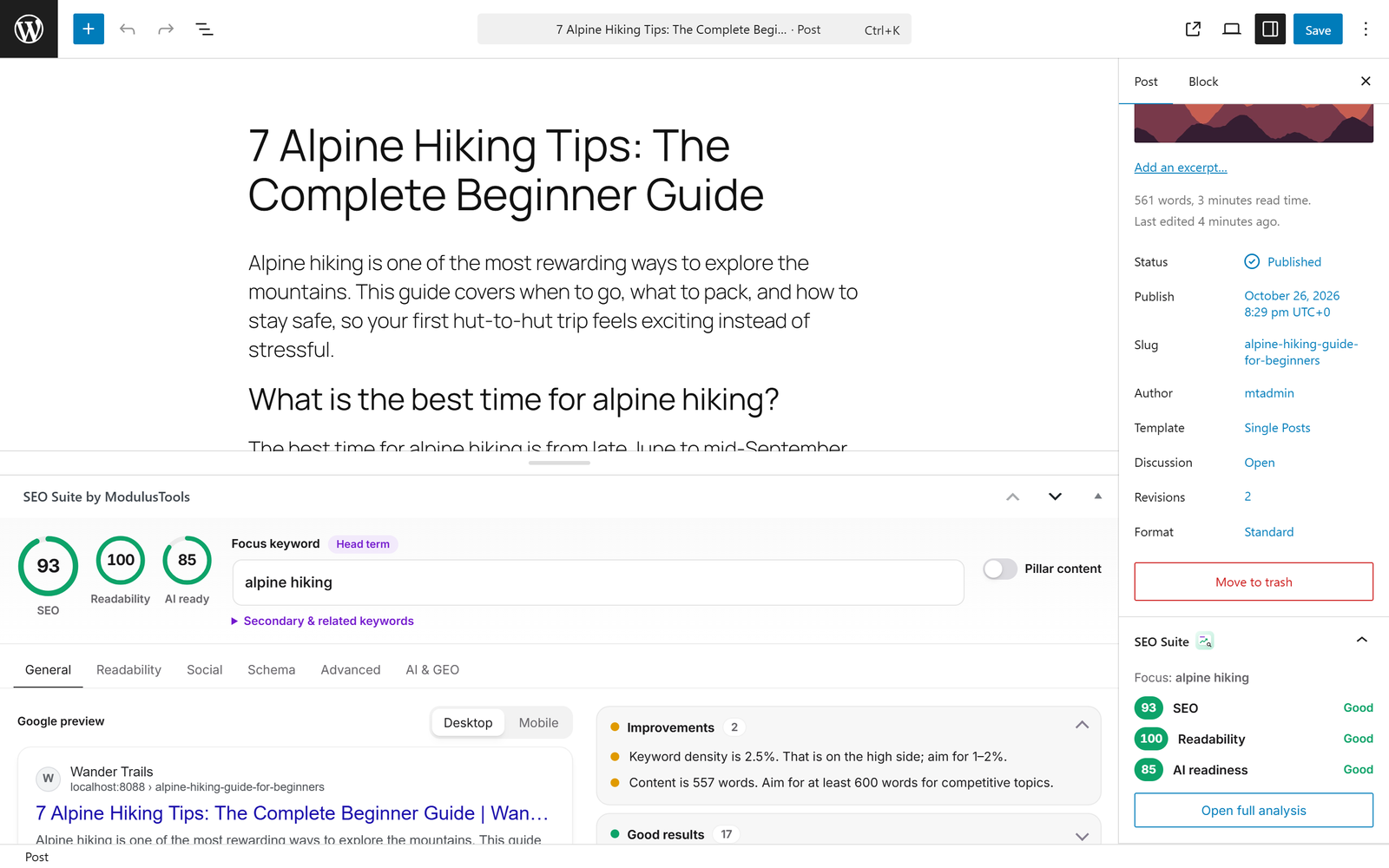
Yes. The SEO panel works in both. In the block editor you also get a score panel in the document sidebar.
-
What is /llms.txt and why do I need it?
-
/llms.txt is an emerging standard that gives AI assistants a clean, Markdown summary of your site and its most important pages. SEO Suite generates it automatically and puts your pillar content first, which makes it easier for AI tools to understand and cite your site.
-
Can I block AI bots from training on my content?
-
Yes. In the setup wizard or under General & Robots, choose to allow all AI crawlers, block AI training crawlers only (while staying visible in AI search engines), or block all AI crawlers. The rules are added to your robots.txt.
-
Will SEO Suite slow down my site?
-
No. SEO data is stored in dedicated, indexed database tables instead of thousands of post meta rows, and each feature is a module you can turn off. Disabled modules are never loaded.
-
Does it support WooCommerce?
-
Yes. Product schema includes price, stock status, brand, GTIN and MPN, and product pages get their own title and description templates.
-
Where is the SEO data stored?
-
In four custom tables:
wp_modulustools_meta(SEO data for posts and terms),wp_modulustools_redirects,wp_modulustools_404_logsandwp_modulustools_ai_bots. You can choose to remove all data when uninstalling. -
Use the
[modulustools_breadcrumbs]shortcode or callmodulustools_the_breadcrumbs()in your theme. BreadcrumbList schema is added automatically. -
My sitemap or /llms.txt shows a 404 error.
-
Visit Settings > Permalinks and click Save Changes once to refresh your site’s rewrite rules.
-
Is it translation ready?
-
Yes. All text uses the
modulustools-seo-suitetext domain.
Reviews
There are no reviews for this plugin.
Contributors & Developers
“ModulusTools SEO Suite – AI SEO, Schema, XML Sitemaps, Redirects & llms.txt” is open source software. The following people have contributed to this plugin.
Contributors
Interested in development?
Browse the code, check out the SVN repository, or subscribe to the development log by RSS.
Changelog
1.6.0
- New: add several schemas to one page — Product, FAQ, How-to, Video, Event, Local business, Software app, Recipe and Course templates, pasted JSON-LD, or schema imported from any public URL and adapted to your page.
- New: JSON-LD preview and a link to Google’s Rich Results Test for each post.
- New: the JSON-LD graph is cached per page and refreshed automatically when the post or your settings change.
- New: optional getting-started email (opt-in in the setup wizard or on the dashboard).
- Fixed: switches on settings screens and in the SEO panel now turn green when on.
1.5.0
- New: Google Search Console integration (free) — connect with your Google account and see clicks, impressions, CTR and average position with a daily chart, top keywords, top pages and “almost on page 1” opportunities for 7, 28 or 90 days.
- New: a Performance tab in the editor shows the searches that bring visitors to each post.
- New: keyword rank tracking for SEO Suite Pro — daily Google positions for up to 100 keywords with 90-day history and 7/28-day changes.
- Fixed: the SEO panel now fits when it is moved into the editor sidebar.
- Fixed: dark link buttons on settings screens showed purple text.
- Changed: settings screens now use the full screen width and all section tabs are always visible.
1.4.0
- New: ModulusTools AI — connect in one click for 20 free AI uses per month, or activate a Pro license for 500.
- New: “Optimize title & description with AI” in the editor, and “Write missing descriptions with AI” in the Bulk Editor.
- New: redesigned AI Assistant screen with usage meter and provider choice; AI errors are now shown clearly instead of failing silently.
- Changed: IndexNow is now opt-in for new installations (enable it in the setup wizard or General & Robots).
1.3.0
- Fixed: a namespace mismatch in the class autoloader caused a fatal error (“Class ModulusTools\SEO\Activator not found”) when activating the plugin. Please update.
- Fixed: per-post advanced robots directives are now applied; canonical URLs for archives now match WordPress permalinks (trailing slash) and paginated archives.
- Fixed: pages now output WebPage structured data instead of Article by default.
- New: redesigned SEO panel with live SEO, readability and AI-readiness scores, Google snippet preview with pixel-accurate title length, grouped suggestions and keyword cannibalization warnings.
- New: Readability analysis tab and Facebook / X share previews with a media-library picker.
- New: Titles & Meta templates for all content types, archives and special pages, with clickable variables.
- New: archive indexing rules and advanced robots meta (noarchive, nosnippet, noimageindex).
- New: SEO title, description, canonical and noindex for categories, tags and custom taxonomies.
- New: social profiles in Organization schema, default share image and
twitter:site. - New: setup wizard, dashboard, block editor sidebar panel, posts list scores and admin bar SEO menu.
- New: ModulusTools interface design across all settings screens.
1.2.2
- Initial release of ModulusTools SEO Suite (
modulustools-seo-suite) featuring Modular Core, Custom Database Tables, Bulk Quick-Editor Grid, Site Audit, GEO/llms.txtRouter, AI Bot Tracker, WordPress Core AI Client support, Unified Schema Graph with Merchant & E-E-A-T fields, XML/News/Video/HTML Sitemaps, Redirects/404 Monitor, Internal Link Assistant, and Metadata Importer.