Title: Scheduled Posts Showcase
Author: Fernando Tellado
Published: February 25, 2026
Last modified: May 19, 2026
---
Search plugins
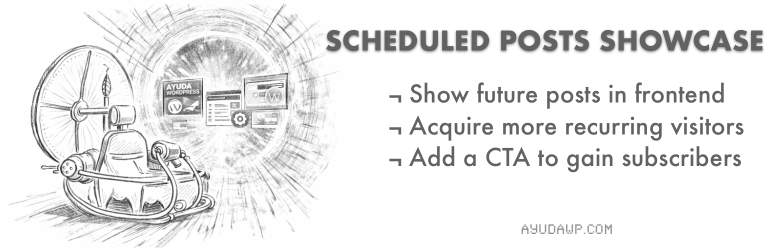

# Scheduled Posts Showcase
By [Fernando Tellado](https://profiles.wordpress.org/fernandot/)
[Download](https://downloads.wordpress.org/plugin/scheduled-posts-showcase.1.2.0.zip)
[Live Preview](https://co.wordpress.org/plugins/scheduled-posts-showcase/?preview=1)
* [Details](https://co.wordpress.org/plugins/scheduled-posts-showcase/#description)
* [Reviews](https://co.wordpress.org/plugins/scheduled-posts-showcase/#reviews)
* [Installation](https://co.wordpress.org/plugins/scheduled-posts-showcase/#installation)
* [Development](https://co.wordpress.org/plugins/scheduled-posts-showcase/#developers)
[Support](https://wordpress.org/support/plugin/scheduled-posts-showcase/)
## Description
**Scheduled Posts Showcase** lets you display your scheduled (future) posts on the
frontend of your WordPress site without creating problematic links to unpublished
content.
Unlike other solutions that link to scheduled posts and generate 404 errors for
visitors, this plugin shows post information (title, date, excerpt, featured image,
categories) without ever exposing the permalink or post ID.
#### Key Features
* **No 404 errors** – Never generates links to unpublished content
* **Multiple display methods** – Use shortcode, widget, Gutenberg block, or REST
API
* **Fully customizable** – Control what information to display and how it looks
* **Global settings with per-instance overrides** – Set defaults once, customize
where needed
* **Translation ready** – Fully prepared for localization
* **Developer friendly** – Extensive hooks for customization
#### Display Options
* Number of posts to show
* Featured image at any registered size, including a responsive “full width” option
that fills the container
* Scheduled publication date
* Post excerpt (with configurable word count)
* Categories
* Custom heading with selectable HTML tag (headings, paragraph, span or div)
* Custom footer content for calls to action
* Custom CSS classes on the main container, both globally and per instance
#### Appearance Options
* Card or minimal container style
* Dashicon, theme default, or no list bullets
* Curated icon selector for list bullets
* Accent color customization
* Responsive design
#### Visibility Control
Choose who can see your scheduled posts:
* Everyone (public)
* Logged-in users only
* Editors and administrators only
#### Usage
**Shortcode:**
```
[scheduled-posts-showcase]
```
With parameters:
```
[scheduled-posts-showcase count="3" show_date="1" show_excerpt="1" container_style="card"]
```
**Widget:**
Add the “Scheduled Posts Showcase” widget to any widget area from Appearance Widgets.
**Gutenberg Block:**
Search for “Scheduled Posts” in the block inserter and add the block to any post
or page.
**REST API:**
```
GET /wp-json/scheduled-posts-showcase/v1/scheduled-posts
```
Parameters: `per_page`, `fields`, `post_type`, `order`
#### Why This Plugin?
Existing plugins for displaying scheduled posts either:
* Are abandoned (some over 10 years old)
* Link to scheduled posts, causing 404 errors
* Use deprecated WordPress functions
* Lack modern features like Gutenberg blocks
Scheduled Posts Showcase solves all these problems with a modern, secure, and fully-
featured solution.
### CSS Customization
The plugin provides semantic CSS classes for easy customization.
#### Available CSS Classes
* `.sps-scheduled-posts` – Main container
* `.sps-style-card` – Card style container
* `.sps-style-minimal` – Minimal style container
* `.sps-scheduled-heading` – Heading element
* `.sps-scheduled-list` – Posts list (ul)
* `.sps-list-dashicon` – List with dashicon bullets
* `.sps-list-theme` – List with theme default bullets
* `.sps-list-none` – List with no bullets
* `.sps-scheduled-item` – Each post item (li)
* `.sps-scheduled-icon` – Dashicon bullet
* `.sps-scheduled-thumbnail` – Featured image container
* `.sps-scheduled-thumbnail--full-width` – Added to the thumbnail container when
the “Full width” image size is selected
* `.sps-scheduled-title` – Post title
* `.sps-scheduled-date` – Scheduled date
* `.sps-scheduled-excerpt` – Post excerpt
* `.sps-scheduled-categories` – Categories list
* `.sps-scheduled-footer` – Custom footer content
* `.sps-no-scheduled` – Empty state message
#### Example Customizations
```
/* Change font size for post titles */
.sps-scheduled-title {
font-size: 1.1em;
}
/* Add more padding to the card container */
.sps-style-card {
padding: 1.5em;
}
/* Custom color for the date */
.sps-scheduled-date {
color: #666;
font-style: italic;
}
```
#### Custom CSS Classes
You can target a specific widget, block or shortcode without writing a long selector
by adding your own classes:
* **Global**: Appearance Future Posts Appearance section “Custom CSS class”.
Space-separated. Applied to every instance.
* **Per instance**: each widget, block and shortcode has its own “Extra CSS class”
field. These are appended to the global ones, never replace them.
* /* Style a specific instance */
.sps-scheduled-posts.sidebar-cta { background:#
fffbe6; padding: 1.5em; }
#### CSS Custom Property
The accent color is available as a CSS custom property:
```
/* Use the accent color in your custom styles */
.my-custom-element {
border-color: var(--sps-accent-color);
}Developer Hooks
```
The plugin provides filters and actions for developers to customize behavior without
modifying plugin code.
#### Filters with Examples
**spscase_query_args**
Modify WP_Query arguments before fetching scheduled posts.
```
add_filter( 'spscase_query_args', function( $args ) {
// Only show posts from specific category
$args['cat'] = 5;
return $args;
} );
```
**spscase_post_data**
Modify the data array for each post before rendering.
```
add_filter( 'spscase_post_data', function( $post_data, $post ) {
// Add custom field to post data
$post_data['reading_time'] = get_post_meta( $post->ID, 'reading_time', true );
return $post_data;
}, 10, 2 );
```
**spscase_post_html**
Modify the HTML output for each individual post item.
```
add_filter( 'spscase_post_html', function( $html, $post_data ) {
// Add reading time after the title
if ( ! empty( $post_data['reading_time'] ) ) {
$badge = '' . esc_html( $post_data['reading_time'] ) . ' min read';
$html = str_replace( '', '' . $badge, $html );
}
return $html;
}, 10, 2 );
```
**spscase_output_html**
Modify the complete rendered HTML output.
```
add_filter( 'spscase_output_html', function( $html, $posts, $settings ) {
// Wrap output in custom container
return '' . $html . '
';
}, 10, 3 );
```
**spscase_rest_post_data**
Modify post data in REST API responses.
```
add_filter( 'spscase_rest_post_data', function( $post_data, $post ) {
// Add author name to API response
$post_data['author'] = get_the_author_meta( 'display_name', $post->post_author );
return $post_data;
}, 10, 2 );
```
**spscase_excerpt_length**
Override the excerpt word count.
```
add_filter( 'spscase_excerpt_length', function( $length ) {
// Shorter excerpts for sidebar widgets
return 15;
} );
```
**spscase_date_format**
Override the date format (default: WordPress date_format option).
```
add_filter( 'spscase_date_format', function( $format ) {
// Show relative dates like "in 3 days"
return 'relative';
} );
```
**spscase_post_types**
Filter available post types in the settings dropdown.
```
add_filter( 'spscase_post_types', function( $post_types ) {
// Remove 'page' from available post types
unset( $post_types['page'] );
return $post_types;
} );
```
**spscase_cache_expiration**
Modify cache duration in seconds (default: 3600 = 1 hour).
```
add_filter( 'spscase_cache_expiration', function( $seconds ) {
// Cache for 6 hours on high-traffic sites
return 6 * HOUR_IN_SECONDS;
} );
```
**spscase_allowed_footer_html**
Modify allowed HTML tags for footer content.
```
add_filter( 'spscase_allowed_footer_html', function( $allowed_tags ) {
// Allow button element in footer
$allowed_tags['button'] = array(
'class' => true,
'type' => true,
);
return $allowed_tags;
} );
```
#### Actions with Examples
**spscase_before_output**
Fires before the scheduled posts list renders.
```
add_action( 'spscase_before_output', function( $posts, $settings ) {
// Track impressions
if ( function_exists( 'my_track_impression' ) ) {
my_track_impression( 'scheduled_posts_widget' );
}
}, 10, 2 );
```
**spscase_after_output**
Fires after the scheduled posts list renders.
```
add_action( 'spscase_after_output', function( $posts, $settings ) {
// Output additional content after the list
echo 'Updated hourly
';
}, 10, 2 );Support
```
Need help or have suggestions?
* [Official website](https://servicios.ayudawp.com)
* [WordPress support forum](https://wordpress.org/support/plugin/scheduled-posts-showcase/)
* [YouTube channel](https://www.youtube.com/AyudaWordPressES)
* [Documentation and tutorials](https://ayudawp.com)
Love the plugin? Please leave us a 5-star review and help spread the word!
### About AyudaWP
We are specialists in WordPress security, SEO, AI and performance optimization plugins.
We create tools that solve real problems for WordPress site owners while maintaining
the highest coding standards and accessibility requirements.
## Screenshots
* [[
* Frontend display with card style
* [[
* Frontend display with minimal style
* [[
* Settings page – Display options
* [[
* Settings page – Appearance options
* [[
* Gutenberg block in editor
* [[
* Classic widget configuration
## Blocks
This plugin provides 1 block.
* Scheduled Posts Showcase Display scheduled posts on your site.
## Installation
1. Upload the plugin files to `/wp-content/plugins/scheduled-posts-showcase/` or install
directly from the WordPress plugin repository.
2. Activate the plugin through the ‘Plugins’ menu in WordPress.
3. Configure global settings at Appearance Future Posts.
4. Add the widget, block, or shortcode wherever you want to display scheduled posts.
## FAQ
### Why don’t the posts have links?
By design, this plugin never creates links to scheduled posts. Linking to unpublished
content causes 404 errors for visitors, which is bad for user experience and SEO.
Instead, the plugin shows post information to build anticipation without broken
links.
### Can I show scheduled posts for custom post types?
Yes! Select any public post type from the settings page or specify it in the shortcode
with `post_type="your_post_type"`.
### How do I customize the appearance?
Use the settings page to configure global defaults for appearance. You can also
override settings on individual instances (widget, block, shortcode). For advanced
customization, use the CSS classes documented below.
### Is the REST API public?
The REST API respects the same visibility settings as the other display methods.
If you restrict visibility to logged-in users or editors, the API will also require
authentication.
### Can I filter or modify the output?
Yes! The plugin provides extensive hooks for developers. See the Developer Hooks
section below for all available filters and actions with usage examples.
## Reviews
There are no reviews for this plugin.
## Contributors & Developers
“Scheduled Posts Showcase” is open source software. The following people have contributed
to this plugin.
Contributors
* [ Fernando Tellado ](https://profiles.wordpress.org/fernandot/)
* [ Ayuda WordPress ](https://profiles.wordpress.org/ayudawp/)
“Scheduled Posts Showcase” has been translated into 1 locale. Thank you to [the translators](https://translate.wordpress.org/projects/wp-plugins/scheduled-posts-showcase/contributors)
for their contributions.
[Translate “Scheduled Posts Showcase” into your language.](https://translate.wordpress.org/projects/wp-plugins/scheduled-posts-showcase)
### Interested in development?
[Browse the code](https://plugins.trac.wordpress.org/browser/scheduled-posts-showcase/),
check out the [SVN repository](https://plugins.svn.wordpress.org/scheduled-posts-showcase/),
or subscribe to the [development log](https://plugins.trac.wordpress.org/log/scheduled-posts-showcase/)
by [RSS](https://plugins.trac.wordpress.org/log/scheduled-posts-showcase/?limit=100&mode=stop_on_copy&format=rss).
## Changelog
#### 1.2.0
* New: heading tag options for paragraph, span and div in addition to H2-H6.
* New: “Custom CSS class” field on the settings page. Adds extra classes to every
instance container (widget, block, shortcode).
* New: “Extra CSS class” field on the widget, the block inspector and as `custom_class`
shortcode attribute. Per-instance classes are appended to the global ones, never
replace them.
* New: “Full width (responsive)” image size that stretches the thumbnail to the
container width, useful for sidebar hero-style cards.
* New: `spscase_heading_tags` and `spscase_image_sizes` filters to extend those
lists from code.
* Improved: settings page moved to Appearance > Future Posts instead of Tools,
since the plugin is mostly about visual display. The page slug is unchanged so
existing bookmarks pointing to `?page=scheduled-posts-showcase` still work.
* Improved: image size selector now lists every size registered on the site (themes
and plugins included) instead of just thumbnail and medium.
* Improved: clearer help text on the CSS class fields. They add the class name
to the container; the CSS itself still has to live in your theme or in Customize
> Additional CSS.
* Improved: promo catalog on the settings sidebar updated with the latest AyudaWP
plugins, including the rest of the Native SEO Suite, and small visual fixes aligned
with the AyudaWP banner guide.
* Fix: the block preview no longer fails in the block-based widgets editor. The
editor script now declares `wp-server-side-render` as an explicit dependency
via a companion `.asset.php` file, which the widgets editor was not pulling in
transitively (resulting in a React #130 error).
For older changelog entries, please check the [changelog.txt](https://plugins.svn.wordpress.org/scheduled-posts-showcase/trunk/changelog.txt)
file
## Meta
* Version **1.2.0**
* Last updated **2 weeks ago**
* Active installations **10+**
* WordPress version ** 5.8 or higher **
* Tested up to **7.0**
* PHP version ** 7.4 or higher **
* Languages
* [English (US)](https://wordpress.org/plugins/scheduled-posts-showcase/) and [Spanish (Spain)](https://es.wordpress.org/plugins/scheduled-posts-showcase/).
* [Translate into your language](https://translate.wordpress.org/projects/wp-plugins/scheduled-posts-showcase)
* Tags
* [content schedule](https://co.wordpress.org/plugins/tags/content-schedule/)[editorial calendar](https://co.wordpress.org/plugins/tags/editorial-calendar/)
[Future Posts](https://co.wordpress.org/plugins/tags/future-posts/)[scheduled posts](https://co.wordpress.org/plugins/tags/scheduled-posts/)
[upcoming posts](https://co.wordpress.org/plugins/tags/upcoming-posts/)
* [Advanced View](https://co.wordpress.org/plugins/scheduled-posts-showcase/advanced/)
## Ratings
No reviews have been submitted yet.
[Your review](https://wordpress.org/support/plugin/scheduled-posts-showcase/reviews/#new-post)
[See all reviews](https://wordpress.org/support/plugin/scheduled-posts-showcase/reviews/)
## Contributors
* [ Fernando Tellado ](https://profiles.wordpress.org/fernandot/)
* [ Ayuda WordPress ](https://profiles.wordpress.org/ayudawp/)
## Support
Got something to say? Need help?
[View support forum](https://wordpress.org/support/plugin/scheduled-posts-showcase/)