

Description
The PriveWellness.nl plugin connects your WordPress site to the PriveWellness platform (https://privewellness.nl). Pick the parts you need:
- Sync your appointments — bookings made through PriveWellness.nl appear automatically in your own calendar, and the other way around.
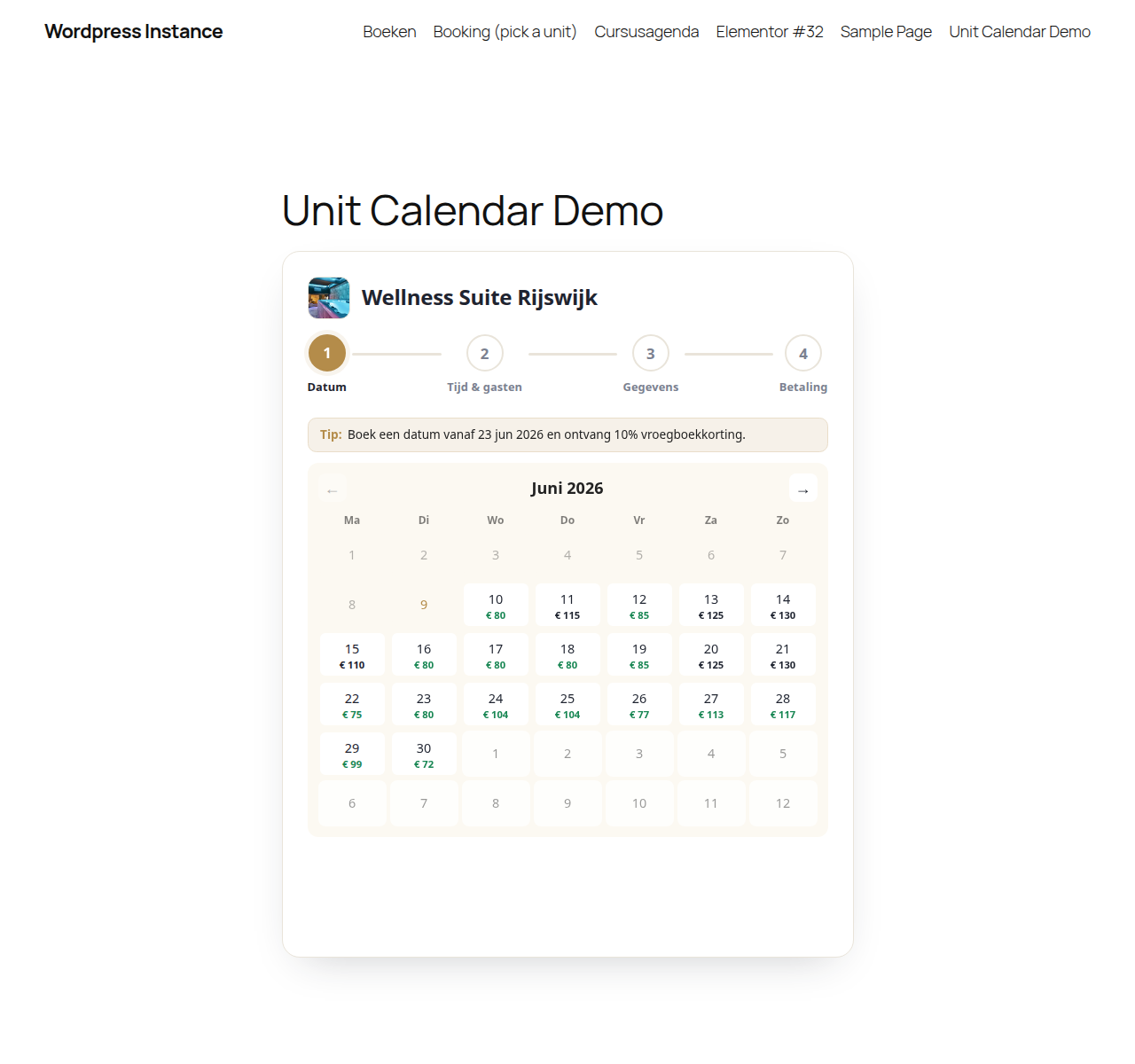
- Enrich your units — show the live availability of your rooms in a booking calendar on your own site through a simple shortcode.
- Power your website — optionally use the full PriveWellness theme for a complete, ready-made website.
Booking systems
The plugin automatically detects the booking system that is active on your site. We keep adding support for more systems.
How it works
- Install and activate the plugin.
- Generate a pairing code on the settings page and share it with PriveWellness, who connect the site for you.
- Choose the features you want to use: synchronisation, availability calendar and/or theme.
Features
- Two-way synchronisation of appointments
- Automatic detection of your booking system
- Availability calendar via a shortcode, with a configurable accent colour
- Optionally the full PriveWellness theme
- Simple, secure connection
External services
This plugin connects to the PriveWellness platform (privewellness.nl). This connection is required to synchronise appointments and show availability.
What is sent, and when:
- On connecting: the URL of your WordPress site, in order to exchange an API key.
- When a booking is created: customer details (name, email, phone), date/time and staff ID are sent to the PriveWellness platform.
- When fetching staff: names, services and working hours are sent to the PriveWellness platform.
The availability calendar and booking interface shown by the [privewellness_unit_calendar] shortcode — including unit photos and live prices — are served by the PriveWellness platform. The browser only talks to your own site; your site forwards each request to the platform.
The connection is only made after you explicitly link the plugin to your PriveWellness account from the settings page.
Terms of service: https://privewellness.nl/voorwaarden
Privacy policy: https://privewellness.nl/privacybeleid
Source code and build
The booking-calendar widget is the only part of this plugin that uses compiled assets. assets/dist/widget.js and assets/dist/widget.css are generated with webpack from the human-readable source that ships inside this plugin:
- Source:
assets/src/— the widget entry point (widget.js), the Stimulus controllers and the SCSS stylesheets. - Build configuration:
webpack.config.jsandpackage.json.
To rebuild the compiled assets from source:
npm installnpm run build
This regenerates assets/dist/widget.js and assets/dist/widget.css. Use npm run dev to rebuild on change during development. All third-party libraries (Stimulus, stimulus-use) are pulled in via npm as declared in package.json.
Screenshots

Installation
- Upload the
privewellnessplugin folder to/wp-content/plugins/, or install it via Plugins > Add New. - Activate the plugin through the Plugins menu in WordPress.
- Open the PriveWellness.nl menu, copy the pairing code shown there, and share it with PriveWellness.
- PriveWellness completes the connection from their side; the page updates to “Verbonden” automatically.
FAQ
-
Do I need a PriveWellness account?
-
Yes. This plugin is a connector to the PriveWellness platform. Without an active account you cannot sync appointments or show availability. See https://privewellness.nl for more information.
-
Which booking systems are supported?
-
The plugin automatically detects the booking system that is active on your site. We keep adding new integrations.
-
What happens when I remove the plugin?
-
Deactivating keeps your settings. Permanently deleting the plugin automatically removes all PriveWellness options from your database.
Reviews
There are no reviews for this plugin.
Contributors & Developers
“PriveWellness.nl” is open source software. The following people have contributed to this plugin.
Contributors
Translate “PriveWellness.nl” into your language.
Interested in development?
Browse the code, check out the SVN repository, or subscribe to the development log by RSS.
Changelog
1.6.0
- Fixed timeslots now show their duration next to the time (e.g. “12:00 – 14:00 · 2 uur”), including on the selected slot and in the booking summary.
- Added a duration filter (2u / 2,5u …) above the timeslots when a day offers slots of different lengths, so customers can quickly narrow to the duration they want.
1.5.0
- Your booking system now receives the full booking: the chosen arrangement, extra’s, guest count and the amount paid (full or a deposit) — instead of an empty placeholder appointment.
- New on-site “Beheer je boeking” view: from the confirmation e-mail the customer lands on your own site to see their booking, pay the remaining balance, or cancel (with a clear overview of what they get back).
- Confirmation e-mails for bookings made through your site now use your own logo and name.
- The plugin’s admin interface is now translatable, with a bundled Dutch (nl_NL) translation.
1.4.0
- Clearer guest selection: the “extra guests / children” controls now sit in their own titled “Aantal gasten” card so they stay visible below a long list of timeslots, and each shows the surcharge per extra guest.
- Added a small “Powered by PriveWellness.nl” footer to the widget.
1.3.2
- Fix: the widget now has a white background on mobile, so it no longer shows the theme’s page background through it on a themed site.
1.3.1
- Fix: the wide (vertical step-rail) widget layout now also engages in the shortcode embed — it previously stayed in the narrow layout regardless of the available width.
- The “Arrangement & extra’s” step now appears from the start for units that offer them, instead of popping in after a date is picked.
1.3.0
- Arrangementen & extra’s in the booking widget: when a unit offers packages or add-ons, the widget shows an “Arrangement & extra’s” step — pick a package and any extras, with prices and discounts shown throughout and an itemised cost breakdown before you pay.
- Redesigned, fully responsive booking widget: a clear vertical step layout on wider screens and a single-column accordion on mobile — the chosen date collapses to a summary, and timeslot, duration, check-in time and guests use compact dropdowns with a sticky total and pay button.
- Flexible-duration units: choose a duration and check-in time (with voordeeltijd and early-booking discounts) alongside the existing fixed timeslots.
- Smoother step navigation, plus calendar and page-transition fixes.
1.2.0
- New “Synchronisatie” page under the PriveWellness.nl menu: an audit log of all server-to-server traffic between your site and the PriveWellness platform — bookings received, availability requested, the pairing handshake, and bookings sent back — including rejected (invalid key or signature) attempts. Filter by status, and clear the log when you want. Old entries are pruned automatically.
1.1.0
- Security hardening: the sync endpoints (bookings, staff appointments, key validation) now require every request to carry a fresh HMAC signature from the PriveWellness platform, on top of the existing connection key. Signed requests expire after 5 minutes, so captured requests cannot be replayed.
1.0.0
- First public release.
- Two-way synchronisation of appointments with the PriveWellness platform.
- Generate a pairing code and let PriveWellness connect the site for you.
- Availability calendar via the [privewellness_unit_calendar] shortcode, with an embedded booking wizard: pick a unit, date, timeslot and guests, enter details and pay — all in one widget.
- Unit picker with thumbnails when no unit is specified, plus AJAX unit selection (no page reload).
- Discount-aware pricing: voordeeltijd and early-booking (vroegboekkorting) prices in the calendar and slot list.
- Mobile-friendly layout, isolated from the host theme via Shadow DOM (no FontAwesome dependency).
- Adapter architecture for extensibility to more booking systems.